Calories, right on the menu.
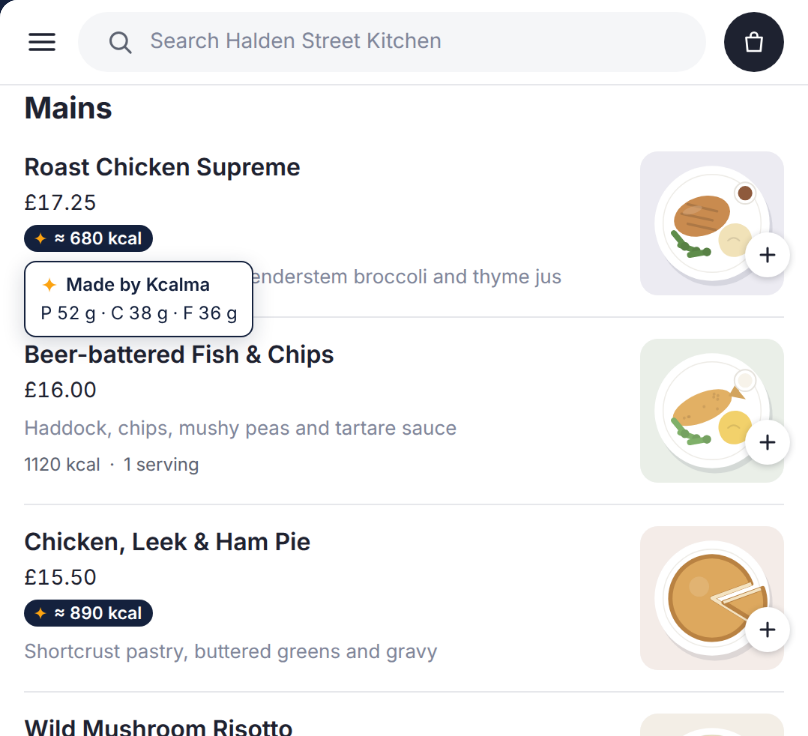
Kcalma adds a small badge, like ≈ 610 kcal, next to dishes on food-delivery sites. Free. No account.
Kcalma is not in the browser stores yet. Get an email when it launches.
Works on Uber Eats (ubereats.com) and Just Eat in the UK and Spain (version 0.1.0). Kcalma is independent and not affiliated with either company; their names only say where the extension works. More sites may follow later.
Get told when Kcalma launches
Kcalma is not in the browser stores yet. Leave your email and we will tell you when it is there, and when the phone app is ready. This is the only thing we use your email for.
The sign-up form is not open yet. If you would like to hear when Kcalma launches, email kcalmasite@gmail.com.
How it works
Install it and turn it on
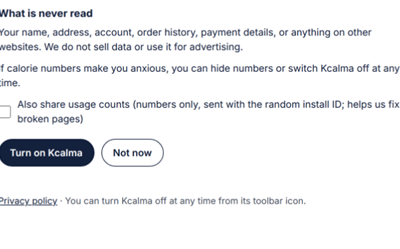
Add the free extension to your browser and press "Turn on" on the welcome page. Nothing is read or sent before that. There is nothing to sign up for.
Example menu from a made-up restaurant. Open a restaurant menu
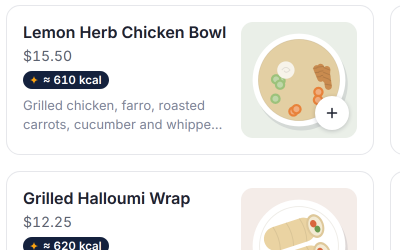
Browse a supported delivery site as usual. Kcalma looks at the dishes on the page.
Example menu from a made-up restaurant. Read the badge
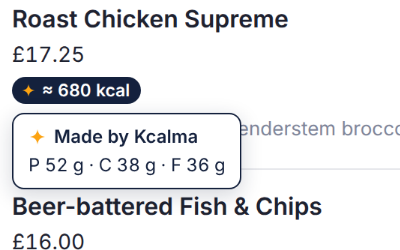
Dishes get one number, such as ≈ 610 kcal. Hover, focus or tap it to see protein, carbs and fat. If the site already shows its own calories for a dish, that dish gets no badge and Kcalma stays out of the way.
You stay in control
Prefer not to see numbers? The extension has a "Hide numbers" switch, and you can switch it off for a site or entirely, whenever you like.
If you manage a health condition or an allergy, rely on the restaurant and on your health professional.
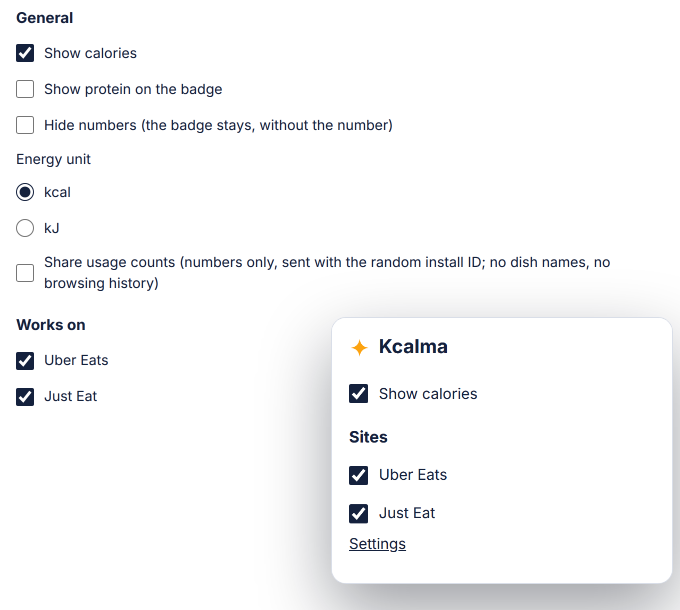
Nothing is read until you turn it on
Nothing is read or sent until you turn Kcalma on. After that, to work out a dish's calories, Kcalma has to ask our server. It sends as little as possible.
Sent to our server
- Dish names, descriptions and prices from the menu you are looking at
- Which site and restaurant, the country and currency, your browser language and the extension version
- A random install id (we keep it only in hashed form) so we can limit abuse. Optional daily usage counts (numbers only, off by default) are sent with it
Not sent
- Your name, address, orders or payment details
- Pages you visit on other sites
- Any account or login, because there isn't one
No ads, no selling data, no tracking cookies. Our hosting is Cloudflare; the numbers come from Anthropic's AI. Read the full privacy policy.
Questions
Is it free?
Yes. No payments, no ads and no account.
Where do the numbers come from?
Numbers are calculated by Kcalma's AI from the menu text. They are not provided by the restaurant and are not medical advice.
What if the site already shows calories?
Then that dish gets no badge, and the site's own figure speaks for itself.
Why does a dish have no badge?
Kcalma skips items it cannot calculate sensibly, such as things that are not food. It never shows a made-up "?".
Can I hide the numbers?
Yes. The extension has a "Hide numbers" switch, and you can also switch it off for a site or entirely.
Does it see my orders or my address?
No. It reads only the dish names, descriptions and prices on supported menu pages. See what is sent and the privacy policy.
Which sites and browsers?
Kcalma works on Uber Eats (ubereats.com) and Just Eat in the UK and Spain (version 0.1.0); more sites may follow later. Browsers: Chrome, Edge and Firefox.
Is this medical or diet advice?
No. It is a general-information aid. See the terms.
Something looks wrong. Who do I tell?
Please tell us on the support page.